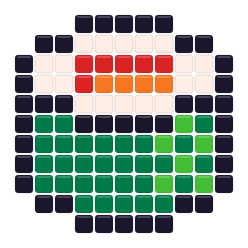
 Salmon SushiOpen in this editor →
MARD 291 palette · 291 planning colors · 2.6 mm
Free MARD Bead Pattern Maker
Plan mini-bead work with the full 291-code MARD library, a 2.6 mm physical pitch, controlled palette reduction, and print checks designed for dense, detailed patterns.
Drop a photo here
or paste one from the clipboard — your source image stays on this device
- ✓ No signup or watermark
- ✓ Source photos stay local
- ✓ Use only colors you own
No picture handy? Start with one of these:
- 291MARD planning color codes
- 2.6 mmplanning pitch used for true-size print
- CIE76screen-space matching for alternatives
Try a ready-made bead pattern
Choose a design from either collection. It opens in this page’s editor and stays fully editable after its colors are matched to the active bead palette.
Small patterns
View all small patterns →
Salmon SushiOpen in this editor →
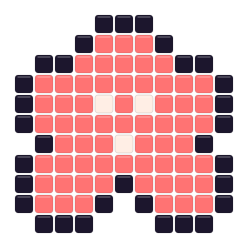 Cherry BlossomOpen in this editor →
Animal patterns
View all animal patterns →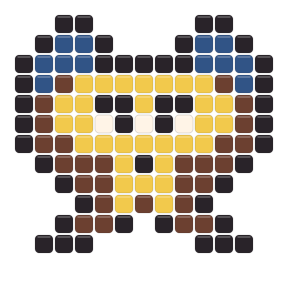
Design for a 2.6 mm physical pitch
A grid with the same bead count occupies much less physical space at 2.6 mm than at 5 mm. Check finished dimensions, handling comfort, board layout, and print scale before treating a dense preview as a practical build.
Translate screen detail into a workable mini-bead plan
Density on screen is useful only when the physical scale remains manageable.
Calculate the finished width from the 2.6 mm pitch before choosing a dense grid. A highly detailed preview may still occupy a small physical area, which changes how comfortably you can handle the beads, read printed labels, and separate adjacent codes. Select a width that suits the intended display size and board arrangement, then use the 291-code library to refine only the details that remain visible at that scale.
Organize a large MARD project in sections with a fixed code order. Print codes or symbols, verify the calibration bar, and stage only the colors needed for the current section instead of placing all selected shades on the table. When two planning colors are close, test them with physical beads before committing to hundreds of placements; the screen-space alternative chart is a shortlist, not evidence of physical equivalence.
Manage a 291-color search space
Use the full library to find candidates, then deliberately reduce it for assembly.
Choose detail by size
Set grid width from the finished physical dimensions you can handle, not only from image sharpness on screen.
Limit the legend
Use Max colors to preserve major transitions without turning small differences into dozens of material bins.
Filter to owned codes
Select the MARD codes in your inventory, regenerate, and only then repair fine edges bead by bead.
Verify a true-size MARD print
Printer settings can defeat accurate planning even when the pattern data are correct.
- Select true-size output and disable browser or printer fit-to-page scaling.
- Measure the 50 mm calibration bar before placing a board or beads against the sheet.
- Use tiled pages and row or column rulers for builds that exceed one physical board or sheet.
Keep the large palette traceable
Codes, counts, and calibration matter more as the grid and legend grow.
Search by code
Find a stored MARD reference directly in My bead box instead of scanning 291 swatches.
Print symbols when needed
Use symbols beside codes when nearby colors are difficult to separate on a home printer.
Stage materials
Sort the exported quantities by code and work in sections so a dense legend does not slow every placement.
When a larger bead plan is simpler
MARD is the mini-bead option in this editor. Compare a 5 mm maker when physical handling or a shorter palette is more important than density.
MARD 291 scale and printing FAQ
Does this maker include all 291 MARD planning codes?
Yes. The runtime registry exposes 291 unique codes to matching, search, material counts, and printable labels.
What changes when MARD uses a 2.6 mm pitch?
The same grid dimensions produce a smaller physical result than a 5 mm plan, so handling, board layout, and print calibration need separate checks.
How do I print a MARD pattern at true size?
Use true-size output, disable fit-to-page scaling, and measure the 50 mm calibration bar before building from the sheet.
How can I keep 291 colors manageable?
Set a realistic Max colors value and select only owned MARD codes before regeneration. The pattern rarely needs the entire library.
Are MARD alternatives official cross-brand matches?
No. They are screen-space planning approximations from community-maintained sRGB values, not manufacturer-certified equivalences or physical measurements.