BROWSER-LOCAL TEXT TOOL
Bead Letter Generator
Turn supported letters, numbers and basic punctuation into a bead chart you can edit one peg at a time. Choose a real bead brand palette, count beads and plan a 29 × 29 reference layout before exporting.
Build your letter chart
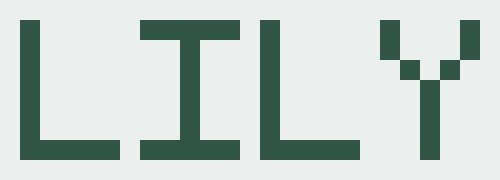
Ready to generate LILY.
Materials
Loading brand colors…
How to make bead letters
1. Generate only supported characters
Enter uppercase or lowercase A–Z, digits 0–9, spaces, new lines and the listed punctuation. Each character uses the site’s pixel font, so preview and export share one editable grid.
2. Check connected pieces before ironing
Letters and punctuation can contain separate pieces. The connection check reports components; turning on a background can join a sign, while separate parts should be made and fused as pieces.
3. Match the physical palette
The chart uses codes from the selected brand registry. Screen appearance is an approximation: verify the code, batch and fuse test with your own beads.
What do the counts and board tiles mean?
Every filled cell is one bead, including white background beads. Empty pegs count as zero. Perler, Hama, Artkal A and Nabbi use the registry’s 29 × 29 board planning size. MARD has no verified standard board size here: its count is only a 29 × 29 reference layout, not a MARD board specification. All tile counts describe the rectangular layout, not an optimized packing of separate letters.
PNG chart or PDF?
Download PNG saves the current edited grid with coordinates and your selected layers. Print / save PDF opens printable 29 × 29 tiles; choose Save as PDF in your browser’s print dialog. Turn on color codes for a cell-by-cell code chart. A letter can have disconnected diagonal strokes even with zero letter spacing: add background or plan separate pieces, then test fusing.
4. Keep it on this device
Text, grid edits and exports stay in this browser. This tool sends no lettering, grid or pattern name to a sharing service.