FREE ONLINE PIXEL GRID
Pixel Art Grid Maker
Draw on a free pixel grid: start from a blank 16x16 or 32x32 grid, color it square by square, then download a PNG or a printable PDF of the grid paper. It all runs in your browser, with no signup and nothing uploaded.
Draw on a pixel grid
Tools
Click or drag to paint squares. Right-click erases.
Color
Grid size
Colors in this drawing
Download and save
Files are made on this device. The bead editor maps each color to the nearest bead color of the brand you choose there.
Click or touch to use the selected tool. Right-click or right-drag on the canvas erases; Mirror applies to Brush and Eraser, including right-click. Line and Rectangle preview before release; Escape cancels. Keyboard: arrows move, Enter or Space draws; for shapes, press once to start and again to finish. Ctrl/Cmd + wheel zooms.
Pixel art examples to open and edit
Open any 16 × 16 drawing in the grid above, then change it or download it.
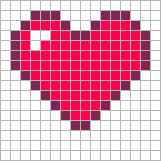
Heart
16 × 16 · 3 colors
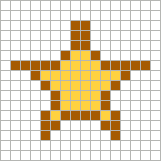
Star
16 × 16 · 2 colors
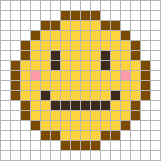
Smiley face
16 × 16 · 4 colors
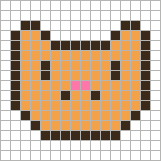
Cat face
16 × 16 · 3 colors
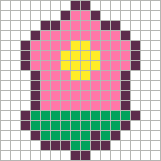
Flower
16 × 16 · 4 colors
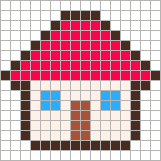
House
16 × 16 · 5 colors
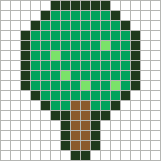
Tree
16 × 16 · 4 colors
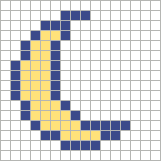
Crescent moon
16 × 16 · 2 colors
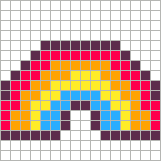
Rainbow
16 × 16 · 5 colors
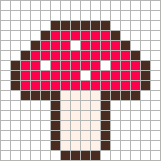
Mushroom
16 × 16 · 4 colors
From a blank grid to a printable chart
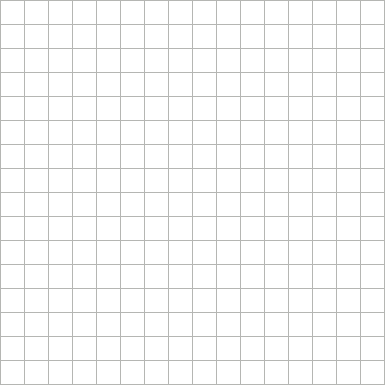
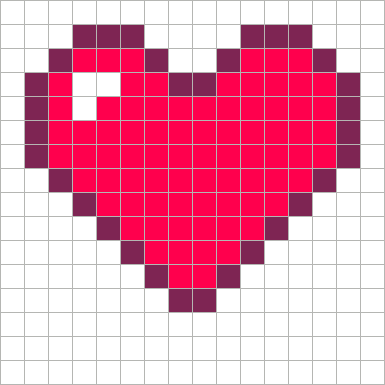
Made with this tool: a blank 16 × 16 grid, the finished heart, and page one of its numbered PDF chart.

Choose a pixel art grid size
Start small: a 16 × 16 grid is quick to finish, and you can open a larger one later.
| Grid | Good for | 5 mm fuse beads | 1/4-inch graph paper |
|---|---|---|---|
| 16 × 16 | Icons, first drawings | 8 × 8 cm · 1 board | 4 × 4 in |
| 32 × 32 | Characters, small scenes | 16 × 16 cm · 4 boards | 8 × 8 in |
| 48 × 48 | More shading | 24 × 24 cm · 4 boards | 12 × 12 in |
| 64 × 64 | Detailed portraits | 32 × 32 cm · 9 boards | 16 × 16 in |
Bead sizes assume 29 × 29 pegboards; real sizes vary by brand. Any custom size shows its numbers under the canvas.
How to draw on the pixel grid
- Pick a size. Choose 16, 32, 48 or 64, or open Custom… for any columns and rows.
- Choose a palette and color. Choose from 48 common palettes, including PICO-8, Endesga 32, Game Boy and Perler, or add a color with + Add.
- Draw. Brush, Fill, Replace, Line and Rectangle paint squares; right-click erases. Mirror draws symmetric pictures, and Undo covers every stroke.
- Download or save. Export a Grid PNG, Clean PNG or PDF chart, or Save project to keep editing later.
Shortcuts: B Brush, E Eraser, F Fill, I Pick, R Replace, L Line, U Rectangle, M Mirror, [ and ] brush size, Ctrl/Cmd + Z undo.
Print a blank pixel art grid
Choose a size and select Blank printable grid PDF for empty, numbered squares on A4 or US Letter paper. Grids over 64 squares continue across pages. PDF chart prints a finished drawing with color counts.
Start from an image, and what to expect
To turn a photo into pixel art, use the pixel art converter; for fuse beads, the Perler bead pattern maker maps an image to bead colors. This grid maker has one layer, no animation, and does not read existing images. Your drawing stays in this tab until you download or save it, so reloading starts a blank grid. Palettes are drawn from the Lospec public palette list. Fuse bead colors are screen approximations. More tools: cross stitch maker, bead letters.
Pixel art grid questions
What size should a pixel art grid be?
16 × 16 suits icons and first drawings, 32 × 32 suits characters with simple faces, and 64 × 64 or larger holds detailed scenes. Choose the smallest grid that fits your idea, because every extra row adds squares to color.
Is this pixel art grid maker free?
Yes. Drawing, PNG and PDF downloads and project files are free, with no account and no watermark.
Can I print a blank pixel art grid?
Yes. Pick a size and select Blank printable grid PDF to get empty squares with row and column numbers on A4 or US Letter paper.
How do I add a grid to my pixel art or an image?
Upload the image to the pixel art converter, choose its grid width, then download the Grid PNG or PDF chart. This grid maker starts from blank squares and does not read existing images.
How do I export pixel art with grid lines?
Select Grid PNG for an image with lines between squares, or PDF chart for a printable version with row and column numbers. Clean PNG leaves out the lines and keeps empty squares transparent.
Can I turn a photo into a pixel art grid?
Use the pixel art converter for photos and pictures. It reduces the image to a grid and palette, and you can edit the squares there before exporting.
Does it work on a phone or tablet?
Yes. Tap or drag on the grid to paint; the page does not scroll while your finger is on the grid. Larger grids are easier on a tablet or computer.
Can I save my grid and keep working later?
Select Save project to download a .pixel-art.json file, then Open project to continue. The file stays on your device; nothing is uploaded.
Can I use the grid for beads, cross stitch or crochet?
Yes, any craft that works square by square can follow the chart. For fuse beads, Continue in bead pattern editor sends the grid to the bead editor, which maps each color to the nearest bead color of the brand you choose. For cross stitch, the cross stitch pattern maker works from images with DMC thread colors.