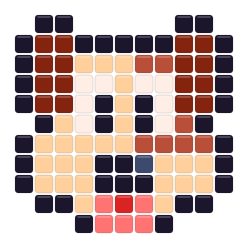
 Happy PuppyOpen in this editor →
Artkal A · 145 planning colors · 5 mm
Free Artkal Bead Pattern Maker
Use the 145-color Artkal A planning palette for photos, gradients, and detailed pixel art, then narrow that wide candidate set to the A codes you can actually build.
Drop a photo here
or paste one from the clipboard — your source image stays on this device
- ✓ No signup or watermark
- ✓ Source photos stay local
- ✓ Use only colors you own
No picture handy? Start with one of these:
- 145Artkal A planning colors
- 5 mmplanning pitch for A-series beads
- A codesshown on grids and material lists
Try a ready-made bead pattern
Choose a design from either collection. It opens in this page’s editor and stays fully editable after its colors are matched to the active bead palette.
Small patterns
View all small patterns →
Happy PuppyOpen in this editor →
 Bright RainbowOpen in this editor →
Animal patterns
View all animal patterns →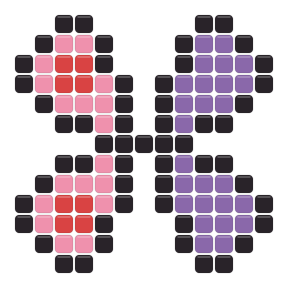
Where a wider Artkal palette helps
More candidate shades are most useful when the source actually contains transitions worth keeping.
Portraits and soft subjects
Use Photo mode and preserve a few meaningful skin, fur, or fabric transitions instead of flattening every midtone.
Skies and gradients
A wider pool can reduce abrupt bands, but a practical Max colors cap keeps the finished legend readable.
Detailed pixel art
Start from the source grid in Pixel art mode, then check whether near-neighbor A codes add clarity or only extra inventory.
Use Artkal detail where viewers will notice it
A wide palette is strongest when each extra shade has a visual job.
In a portrait, spend A-code variety on the face, hair boundary, or another focal area instead of distributing subtle changes across the whole background. Compare the image at full-pattern scale after each reduction of Max colors. If the expression and silhouette survive, the removed shades were probably inventory cost rather than useful information; if a key feature collapses, restore only the transition that supports it.
For a landscape or gradient, divide the image mentally into large color families before matching. Keep enough Artkal candidates to separate sky, ground, reflection, or foreground, then remove one-off bridge colors that will be difficult to sort during assembly. An owned-color pass should happen before manual edits, because replacing an unavailable A code later can disturb several carefully balanced transitions at once.
Funnel 145 candidates into a buildable set
The full chart is a search space; it does not need to become the materials list.
Set the image scale
Choose a width that preserves the subject before spending color slots on tiny transitions.
Cap the palette
Lower Max colors until the preview keeps important edges without filling the legend with near-duplicates.
Apply your inventory
Deselect unowned A codes, regenerate, and then make final bead-level corrections within the realistic set.
Audit the Artkal result before export
A large palette needs an intentional cleanup pass.
- Zoom out and confirm the subject still reads before inspecting individual beads.
- Look for isolated shades that appear once or twice and merge them when they add no visible detail.
- Keep A codes or symbols on when adjacent planning colors are hard to distinguish in print.
Compare only when the palette goal changes
Artkal A suits a wider 5 mm planning palette. These makers answer different constraints.
A codes do not certify a physical match
The A-code registry keeps planning decisions consistent inside the editor, but its screen colors are community-maintained approximations. They are not manufacturer-certified measurements or official cross-brand equivalences.
Artkal palette and photo FAQ
Why use the Artkal A page for a photo?
Its current planning registry offers 145 candidate colors, which can preserve more useful transitions before you reduce the result to a practical set.
Do I need all 145 Artkal colors for one pattern?
No. Set Max colors for the image and select only owned A codes. The full chart is available for matching, not a required shopping list.
Where can I see the Artkal A codes?
A codes appear in searchable swatches, optional grid labels, materials counts, and printed or exported pattern sheets.
How do I remove scattered one-off colors?
Lower Max colors, regenerate with your owned set, then replace isolated beads with a nearby repeated shade that preserves the edge or gradient.
Are Artkal screen colors official physical measurements?
No. They are planning approximations. Compare important A codes with the beads you own, especially for gradients and close neighboring tones.