Food · reference rebuild
Apple Perler Bead Pattern
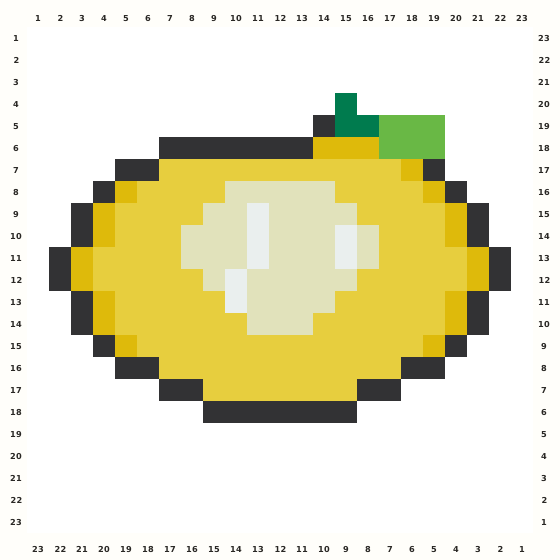
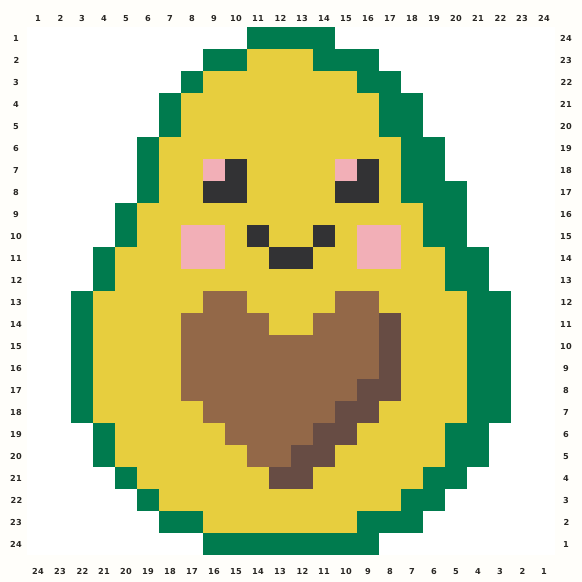
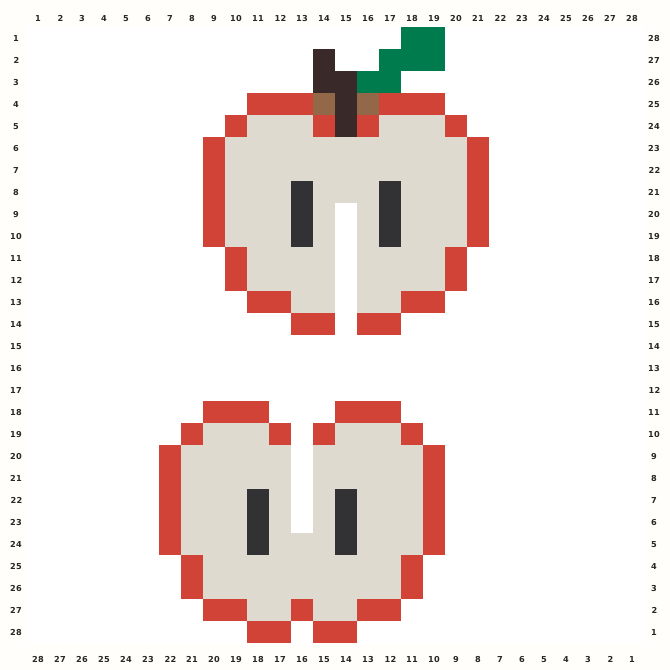
Two stacked apple silhouettes use a warm pale field, red contour, leafy green stem and tiny brown accents in a tall square chart.
Edit this pattern online and export a PNG or print-ready PDF for free.
Perler palette · codes hidden · closest screen-color matches
Beige cells are empty pegs; white cells are beads. Brand codes use the closest CIE76 screen-color match from this source palette. Check important shades against physical beads before building.
Perler bead material list
Exact per-color counts for the 28×28 grid, so you can sort cups before you start. Switch the brand above to remap codes, colors and totals on this page.
- Dark Green
P107 beads - Cocoa
P2625 beads - Tomato
P21165 beads - Light Brown
P212 beads - Toasted Marshmallow
P208146 beads - Black
P1812 beads
Making notes
Build each stacked apple independently: green leaf and brown stem first, red contour next, then pale fruit and dark seed pairs. Preserve the blank separator between the two motifs and the six-column left/seven-column right padding in the 28×28, 237-bead chart.
People searching for an apple Perler bead pattern need a simple fruit chart with a clear red outline, stem, leaf and readable inner highlights. This 28×28 reconstruction contains two stacked apple motifs, so a maker can edit the complete chart, export it directly or use either fruit as a repeatable school, harvest or teacher-themed panel.
Begin with the upper leaf and stem, placing the two green cells at row 1 before the brown stem steps down into the crown. Build the red top shoulders and pale fruit field symmetrically, add the paired dark seed marks, then repeat the same sequence for the lower apple. Leave the middle gap open and finish the red lower lobes after both contours are balanced. The chart is tall and contains two related but separately bounded apples. Preserve the six-column blank margin around the active source on the left, the seven-column margin on the right, the two-cell green leaf tip, and the one-cell openings inside each lower lobe. The pale l cells are occupied beads; only the dotted cells between and around the fruit are blank.
Pattern layout and bead count
The selected source bounds are 15×28. I retain every occupied cell and normalize to a 28×28 editor square with six blank columns on the left and seven on the right; the stacked orientation is unchanged. With 237 beads and six colors, the result fits one standard 29×29 board with one spare row and column available for handling. Checkpoints: Rows 1–4: place the two green leaf cells, the stepped brown stem and the red crown shoulders inside the six-column left and seven-column right padding. Rows 5–13: count the upper apple red rim and pale field, then verify both dark seed columns and the intentional one-cell inner gap. Rows 14–16: keep the complete blank separator between the two fruits; no pale l or red r bead should bridge the central rows. Rows 17–25: repeat the lower apple contour, four dark seed marks and pale interior while preserving the separate left and right red lobes. Rows 26–28: finish the lower red taper and confirm 237 occupied cells across l, r, D, k, t and b.
Ways to customize this pattern
A harvest version can change the red skin to cranberry or green while retaining the pale flesh, dark seed pairs and leafy stem. The two stacked fruit shapes also work as a repeating border; preserve the middle blank separator when copying the 28×28 tile.
Use l for the toasted pale fruit field, r for the red skin contour, D for the green leaf and stem, k for the dark seed marks, t for the deep brown crown details and b for the two lighter brown cells. The six roles intentionally separate skin, flesh, foliage and seeds; blank background dots must not be substituted with pale fruit beads.
Print and iron checklist
Red contour beads make narrow shoulders and stepped lower lobes, while pale l beads form broad fields with dark seed pairs embedded inside. Fuse each apple from its stem and top rim downward in short sections, check the central white channel before full heat, and support the tiny brown stem corners so they do not shift when the large pale areas are fused. Before export, verify the 28×28 coordinates, 237-bead total and the selected brand’s merged color counts against the on-page material list.
Project ideas for Apple
Apple is a 28×28, 237-bead chart for one standard square pegboard. It works as a classroom fruit icon, harvest decoration, lunchbox tag, teacher gift panel or repeated pair on a seasonal banner. Fuse the two fruit bodies separately before lifting. Recolor the skin or leaf for autumn and back-to-school projects, while keeping the stems and seed marks dark enough to retain the apple read.
The source grid uses l and the other design symbols only as internal color roles. The interactive chart replaces them with the selected manufacturer codes, while its material list combines any roles that map to the same bead color.